
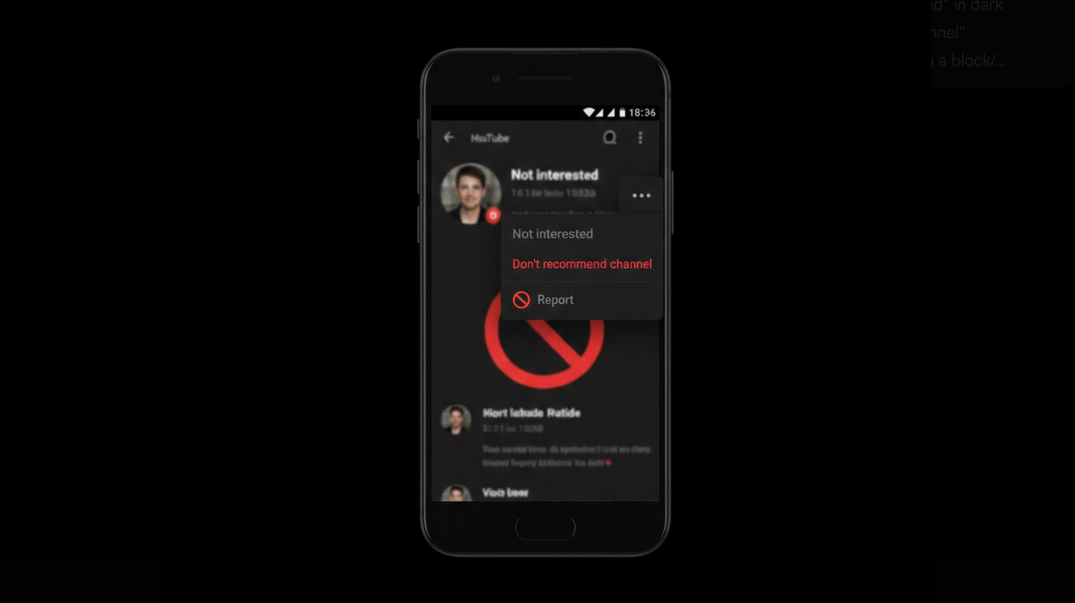
Recommendation algorithm of YouTube recommends you videos depending on the videos that you currently watching. There might be some channels that irritate you or simply do not suit your interests. In order to clean your feed there are some features that can help you to block channels on YouTube.
Why You Need to Block Channels
If you did something wrong and watched some clickbait video, it will result in constant appearance of similar content in your feed for the following week. Some channels may annoy you for a while without an opportunity to unsubscribe. This feature will help you to remove such channels from your recommendations and let the algorithm know what you do not like.
Options That Can Help You to Remove the Channels
There are some options that YouTube provides to you in order to block channels. These options affect the process in different ways.
- Not Interested – informs YouTube that you are not interested in this particular video.
- Don’t Recommend Channel – removes the whole channel from your recommendations. The best option if you want to stop seeing this channel again.
- Block User – blocks the user from commenting on your videos.
- Report Channel – reports a channel for violation of YouTube Community Guidelines.
How to Use the Option “Don’t Recommend Channel”
- Find the Video – find any video of the channel that you want to block in your homepage or in Up Next section.
- Tap the three-dotted Menu – tap the three dots in the right corner of the video.
- Select Don’t Recommend Channel – this option will remove this channel from your recommendations forever.
- Undo if necessary – an undo notice will appear immediately after you choose this option.
How to Use “Not Interested” Feature Properly
- Single video removal – tap the three dots menu of any recommended video and select Not Interested.
- Tell us why – YouTube will ask you to tell why you are not interested in this video. Selecting the reason will help the algorithm to understand your preferences better.
- Regular usage – regular usage of this feature will help the algorithm to understand your preferences faster than sporadic usage.
Blocking Channels With YouTube Vanced
YouTube Vanced provides all the same blocking options for its users. You can mark videos as Not Interested, block the channels from recommendations, report the content using similar menu. Ad-free interface will help you to spend less time searching for promotions and more time removing unnecessary content.
Thanks to Vanced MicroG, all the channels that you blocked or marked as Not Interested will be saved in your account on all the devices that you are signed in.
How to Manage Your Recommendation History
YouTube provides users an opportunity to see the feedback that you have given to the algorithm.
- View your feedback history – go to the Google My Activity page and filter the information by YouTube only in order to see the Not Interested and Don’t Recommend actions.
- Remove the feedback – if you made a mistake and blocked the wrong channel, you can undo it from the activity page.
- Reset recommendations – clearing your watch and search history will reset the algorithm completely.
Tips for a Cleaner Feed
- Act quickly – block unwanted channels right away when you see them, do not let them bother you for a while.
- Regular usage of the feature – it is a good habit to curate your feed every time when you use it.
- Using both options – Not Interested for individual videos and Don’t Recommend Channel for stubborn channels.
- Do not click clickbait – do not be tricked by sensational thumbnails and titles if you do not want to see such videos.
- Use Incognito – browse exploratory content in Incognito mode in order to avoid adding it into your main feed.
Who Will Benefit From Blocking Channels?
- Feed curators – users who need to have precise control over their YouTube homepage.
- Parents – people who want to block channels with inappropriate content for their kids.
- Focused viewers – people who use YouTube mainly for studying or watching videos about specific topics.
- Algorithm trainers – users who train their recommendations in order to improve them.
Conclusion
Blocking unwanted YouTube channels is one of the most useful features that you can use in order to improve your daily browsing experience. The features are quick and simple and are available for all platforms, including YouTube Vanced. Spending just a few seconds removing channels will help you to keep your feed clean and interesting.
